The Sound Check is the sixty seconds before GO LIVE, made a screen. A stale sign-in or a rotated key found now is a shrug; the same failure at GO LIVE is your show. It lives at Studio → Destinations → Open the sound check, and the destinations screen keeps a one-tap pointer to it with a count of anything needing attention.
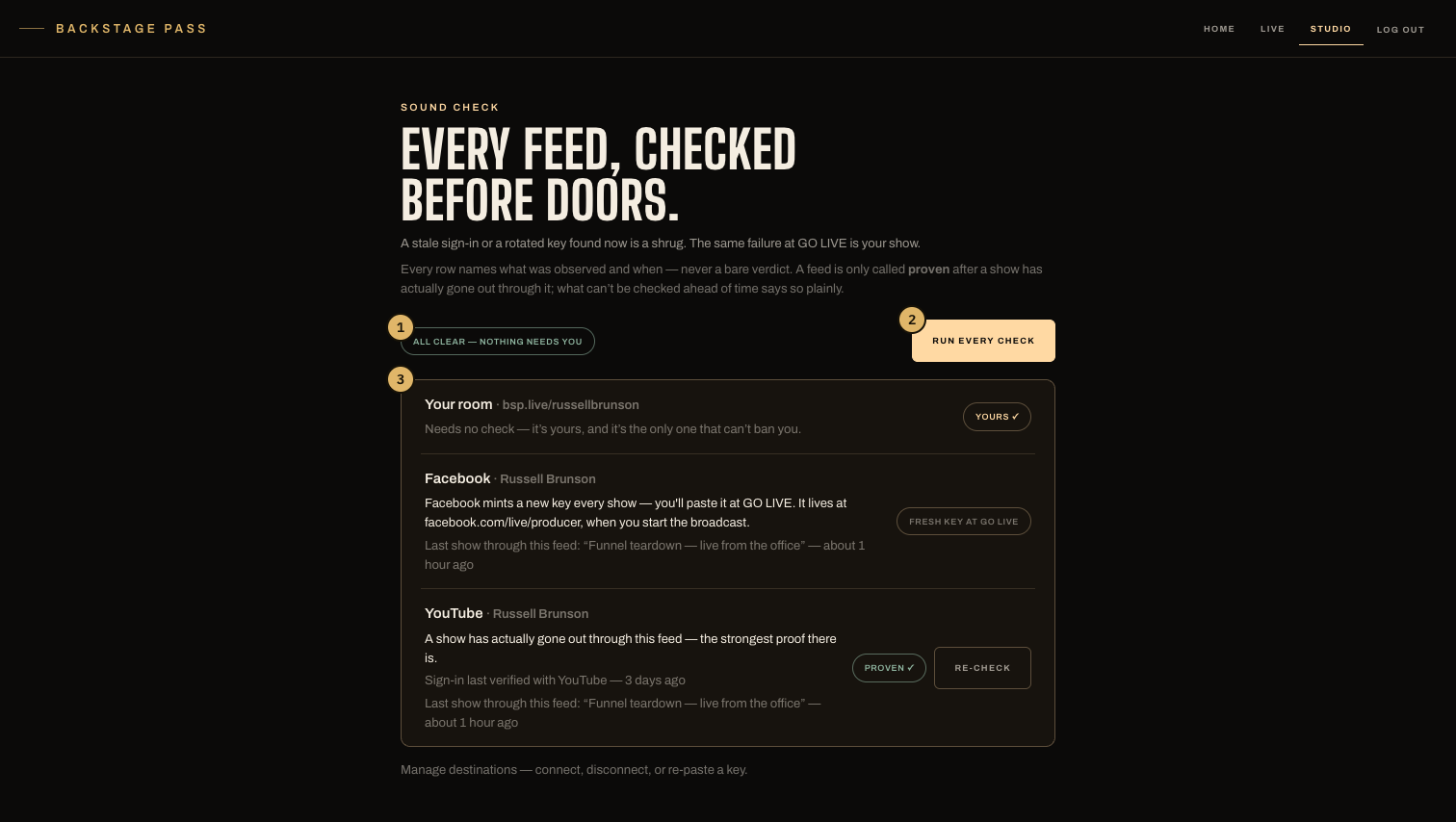
- The headline: all clear, or exactly how many feeds need you.
- Run every check — one tap checks every feed at once.
- Each row says what was observed, and what happened last through this feed.
What it checks, honestly
- A signed-in platform is checked by a real round trip to that platform — the sign-in still works, or the row says it doesn't and offers the fix.
- A pasted key is checked by its shape — a malformed or empty paste is caught here, before it's your show.
- A platform that mints a fresh key each show says so: there is nothing to check until you paste today’s key in the control room’s Destinations tray.
What can't be verified ahead of time says so plainly. A feed is only ever called proven after a show has actually gone out through it — the row then carries the observation: what happened last through this feed, and when.
When to run it
Before doors on a live, and after anything changed — a re-pasted key, a platform password change, a new connection. The studio dashboard also nudges you when a connected feed has never been sound-checked: prove it before you count on it.