Two ledgers. Your plan bills at Studio → Plan. What fans pay you clears into your own merchant account, itemized at Studio → Money.
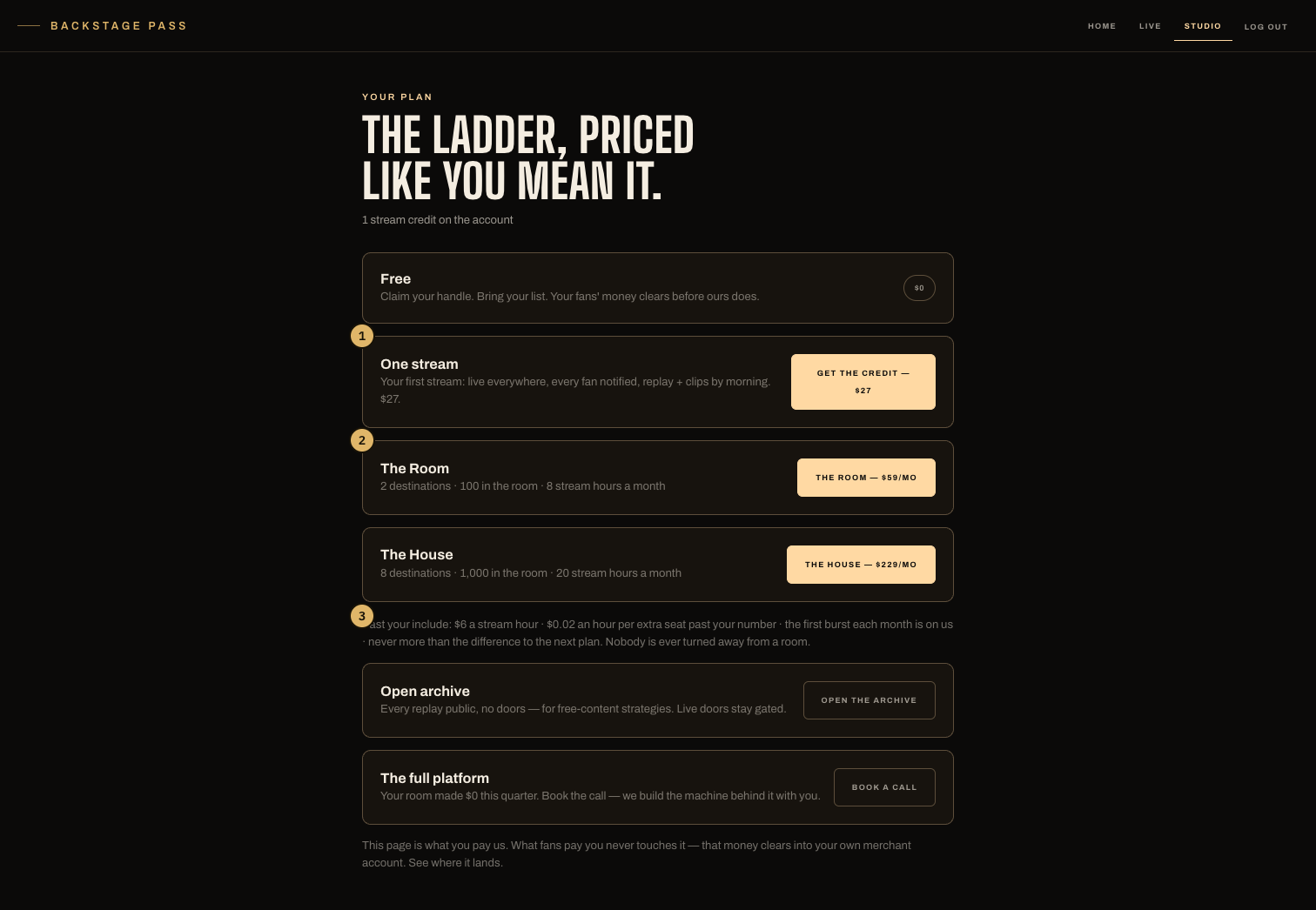
- The free rung and the $27 single live — the only price a first-timer has to say yes to.
- The monthly rungs, each with its plain numbers: destinations, room size, stream hours.
- The published overage rates: every metered dollar is on the page before any charge.
The ladder
- Free — $0. Claim your handle, bring your list, stream BackstagePass-only within the free caps. Passes and tips run from day one.
- Single Night — $27 — one stream that reaches everyone: live everywhere, every fan notified, replay and clips after. The credit sits on your account until START uses it.
- The monthly rungs — currently The Room ($59/mo) and The House ($229/mo), each carrying its own destinations, room size and included stream hours, printed on the card. At three singles in a month, the page shows what you have already spent against the rung price.
- Enterprise — a team on it. The page shows a book-a-call card when your room's numbers say you've outgrown the rungs.
Overage
Your plan includes a number of stream hours a month and a room size, printed on its card. Past those, the published rates apply: $6 a stream hour, and $0.02 an hour per viewer over your room size. The first overflow live each month is free, and a month's overage is capped at the difference to the next plan. The room is never capped.
Overage accrues on Studio → Meter, live by live, off the same rows that price the ledger. It is not charged yet — no overage invoice exists today.
Leaving a plan
Cancel is one tap on the plan page — paid through stays yours — and the rung keeps working until the period ends. Resume is one tap too. A paid month is never clawed back mid-month; to move down, let the month run out and take the smaller rung after.
What fans pay you
Passes, tickets, tips and drops check out on the web against your own merchant account. Our application fee on fan purchases is 0%. Studio → Money itemizes every live — tips, tickets, drops — with the biller's confirmations underneath and any drift flagged. Payout dates belong to the biller and live in your Whop dashboard.
Open archive
One switch on the plan page makes every replay public — no doors — for free-content strategies. Live doors stay gated either way; the switch only opens the past tense.