An encore is the show continuing on demand. Every replay on BackstagePass plays the room back — the chat, the hearts, the tips, each landing on the exact beat it happened — because the night was more than the video, and the archive keeps all of it.
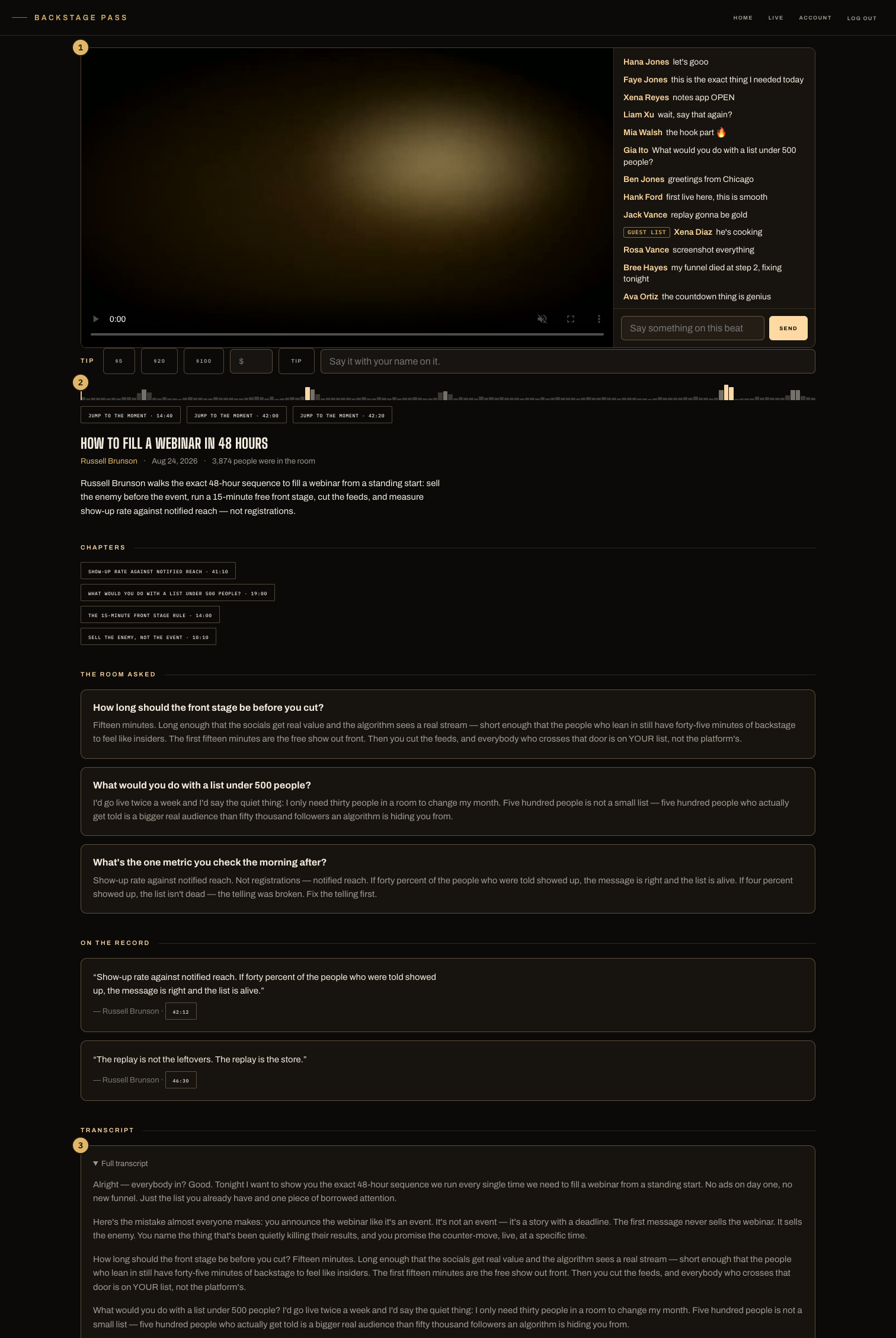
- The room, replaying: chat and hearts arrive on their original beats as the video plays.
- The density scrubber — where the room reacted, drawn on the timeline, with jump-to-the-moment buttons on the peaks.
- Chapters, pull quotes and the full transcript, when the night has them.
Where Encores live
The shelf is everywhere the product is: the Encores wall, the home feed's Encores section, and every creator's own page. The wall's tiles are already playing — reactions rise over each frame on the beats they happened. This is BackstagePass's default state on purpose: live is bursty, and a stream should keep working after you stop talking.
What a replay page carries
- The beat-true room — chat and hearts replay in time; a signed-in fan can add a comment on the beat they're watching, and tip the moment itself. A tip lands on the timeline for later viewers too.
- The scrubber — reaction density drawn on the timeline. The loudest moments are buttons: jump to the moment.
- Chapters, quotes, transcript — when the night has them, they're on the page and search engines can read them.
- The night's rooms — a show that opened stages lists each room's own replay, each behind its own door.
The door works in both tenses
Live entry and replay access are the same resolver: a Pass or ticket that opened the room live opens its replay, and a ticketed show marks plainly whether the replay is included. A creator running an open-archive strategy can flip every replay public from the plan page — live doors stay gated either way.
Right after a show
The replay files itself — no upload, no publish step. While it's processing, the page says so and takes an email to send when it's ready. Clips land by morning, cut where the room actually reacted (we store every heart with a timestamp), and nothing auto-posts: you approve every clip at Studio → Clips. You can also mark moments live — Clip this in the control room — and the marks land with the morning's clips.